 English
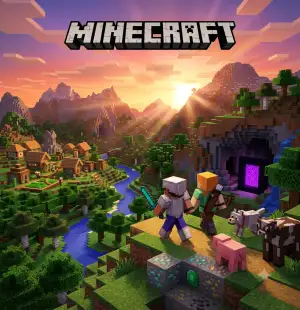
Minecraft mincoins
Important Note:
Minecraft Minecoins – Buy Minecoins instantly at the best prices and unlock skins, worlds, texture packs, and more. Fast, secure delivery only at WaliyaTopUp.
Description
Minecraft Minecoins – Fast & Secure at WaliyaTopUp
Get your Minecraft Minecoins instantly from WaliyaTopUp and unlock the best content in the Minecraft Marketplace. Minecoins are the official in-game currency used to purchase premium skins, texture packs, adventure maps, mash-up packs, worlds, and other creator-made content. Whether you play on Android, iPhone, Windows, Xbox, PlayStation, or Nintendo Switch, Minecoins let you personalize your Minecraft experience with exclusive content.
At WaliyaTopUp, we offer fast delivery, secure payments, competitive prices, and reliable customer support, so you can start shopping in the Marketplace without delays.
Why Buy Minecoins from WaliyaTopUp?
- ⚡ Instant and secure delivery
- 💰 Affordable prices
- 🔒 100% genuine Minecraft digital codes
- 🎮 Works with Minecraft Marketplace
- 💬 Friendly customer support
How to Redeem Your Minecraft Minecoins Gift Card
- Sign in to your Microsoft account.
- Visit https://redeem.microsoft.com.
- Enter the 25-character code you received from WaliyaTopUp.
- Confirm the redemption.
- Launch Minecraft while signed in with the same Microsoft account.
- Your Minecoins will be added automatically and will be available in the Minecraft Marketplace.
Important Notes
- Minecoins are linked to the Microsoft account used during redemption.
- Make sure you redeem the code on the correct account before confirming.
- The code can only be redeemed once.
- Regional restrictions may apply to some gift cards. Please check the product details before purchasing.
Shop with confidence at WaliyaTopUp and enjoy fast, safe, and hassle-free Minecraft Minecoins delivery. Start exploring the Minecraft Marketplace today! 🎮⛏️
Guide
How to Redeem Your Minecraft Minecoins Gift Card
Redeeming your Minecraft Minecoins gift card is simple and only takes a few minutes. Follow the steps below carefully to ensure your Minecoins are added to the correct Microsoft account.
Step 1: Sign In to Your Microsoft Account
Before redeeming your code, make sure you are signed in to the Microsoft account you use to play Minecraft. Minecoins will be permanently added to this account.
Important: Once redeemed, Minecoins cannot be transferred to another Microsoft account.
Step 2: Visit the Official Redemption Page
Open your web browser and go to the official Microsoft redemption website:
Sign in if prompted.
Step 3: Enter Your Redemption Code
After purchasing from WaliyaTopUp, you will receive a 25-character redemption code.
Example:XXXXX-XXXXX-XXXXX-XXXXX-XXXXX
Enter the code exactly as provided, then click Next.
Step 4: Confirm the Redemption
Review the details and click Confirm or Redeem. Once completed successfully, your Minecoins will be added to your Microsoft account.
Step 5: Launch Minecraft
Open Minecraft on your device while signed in with the same Microsoft account. If Minecraft was already running, restart the game so your Minecoins can sync.
Step 6: Enjoy Your Minecoins
Open the Minecraft Marketplace to view your updated Minecoins balance and start purchasing skins, maps, texture packs, worlds, mash-up packs, and other premium Marketplace content.
Troubleshooting
If your Minecoins do not appear immediately:
- Restart Minecraft.
- Make sure you're signed in with the correct Microsoft account.
- Check your internet connection.
- Wait a few minutes for the balance to update.
If you receive an "Invalid Code" or "Already Redeemed" message, double-check the code you entered. Remember, each code can only be redeemed once.
Need Help?
If you experience any issues with your order or need assistance redeeming your Minecoins, don't worry—we're here to help.
Contact WaliyaTopUp Support: @Waliyatopup
Our support team will be happy to assist you as quickly as possible. 💚
Users reviews who have purchase
Total Reviews1
AVG Ratings5

Samuel Haile
Saturday, August 29, 2026Cool


Need to get in touch with us ? Please contact with us with email.